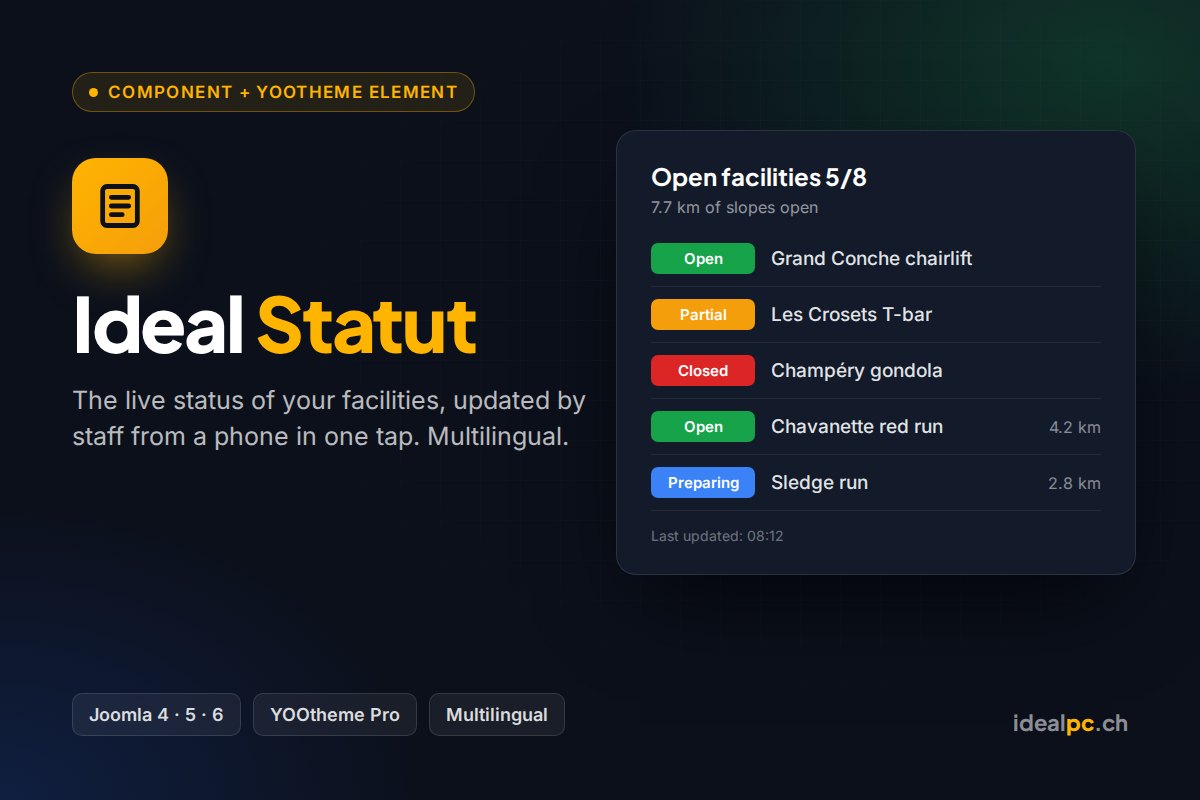
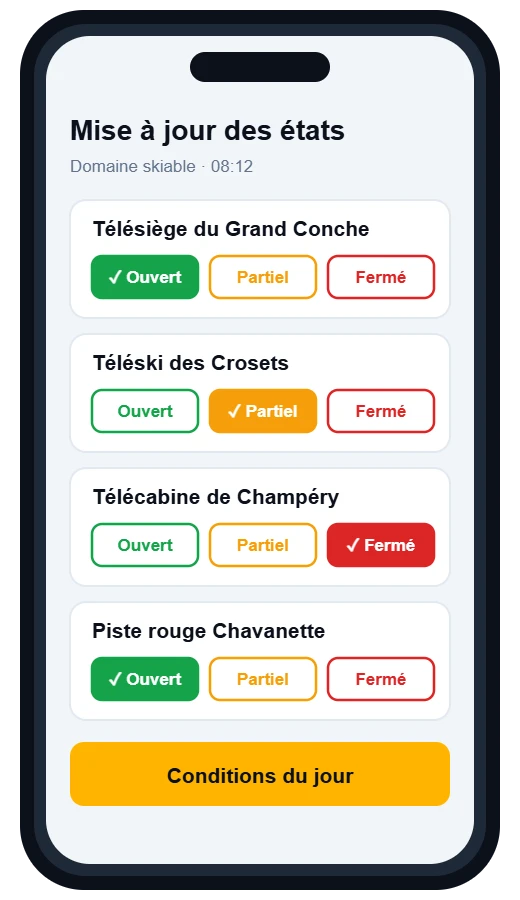
Ideal Statut shows the live status of your facilities (lifts, slopes, pools, halls, car parks, trails…) and lets your staff update it from a phone. This guide covers installation, boards, display and the staff page.
Requirements
- Joomla 4.4, 5 or 6
- PHP 8.1 to 8.4
- YOOtheme Pro 4 or 5 for the page builder element (optional: a Joomla module is included for other templates)
Installation
- Download the ZIP from My licences or from the link in your order e-mail. Do not unzip it.
- In Joomla, open System › Install › Extensions and drop the ZIP into Upload Package File.
- Ideal Statut enables itself. There is nothing else to switch on.
A new version installs the same way, over the old one. Your content and settings are kept.
Licence key and updates
Your licence key (format IDPC-XXXX-XXXX-XXXX-XXXX) is in your order e-mail and on the My licences page. Paste it once per site:
- Open System › Update › Update Sites.
- Click Ideal Statut. Joomla shows “missing download key”.
- Paste the key into the Download Key field, then click Save & Close.
New versions then appear in System › Update › Extensions and install in one click. Updates and e-mail support are included for 12 months. After that, the extension keeps working with no time limit; only access to new versions stops. You can renew at any time from My licences.
The key does not go into the plugin settings or into YOOtheme. The same key works for all your IdealPC extensions.
The package installs the component (Components › Ideal Statut), the Joomla module and the YOOtheme Pro element.
1. Create a board
Open Components › Ideal Statut and click New board. A board groups the items shown together, for example “Ski area” or “Car parks”.
- Title: shown above the board if you enable it.
- Statuses: 8 statuses are available: open, partial, preparing, closed, maintenance, full and two custom ones. For each one, choose whether it is used, its colour, its label and whether it counts as “in operation” in the summary.
- Summary: the count label (e.g. “Open facilities”), a unit (e.g. km, spaces) and a value label (e.g. “of slopes open”). The summary is calculated automatically: “5/8 in operation · 7.7 km of slopes open”.
- Conditions: a short message such as today’s snow report. Staff can also edit it from their phone.
- Free block: HTML text under the board (filtered with Joomla’s text filters, like articles).
- Image: an optional pictogram or illustration.
2. Add items
In the board, click New item. Each item has a title, an optional group (e.g. “Lifts”, “Slopes”), a status, an optional value (length, spaces…), opening hours, a note (e.g. “Opening delayed due to wind”), a link and an icon. Use the arrows to change the order.
3. Display the board
- YOOtheme Pro: in the page builder, add the Ideal Statut element (group “IdealPC”) and choose the board. Settings: layout (list, card grid or compact chips), badge style (solid, outline or coloured dot), columns, boxed card, “show only” (e.g. only open items) and what to display (title, image, summary, groups, values, notes, opening hours, conditions, free block, update date).
- Other templates: publish the Ideal Statut module in a position. It has the same options.
- Menu item: type Ideal Statut › Display a board.
4. Staff update page
- Create a menu item of type Ideal Statut › Update page (staff). It can be hidden from the menu.
- In Components › Ideal Statut › Options › Permissions, give the staff user group the Update statuses permission.
- Staff log in on their phone and change a status in one tap. They can also update values, notes and the conditions message.
Visitors who are not logged in see a login button; users without the permission see a clear message.
Multilingual sites
On a multilingual Joomla site, each board, status label and item shows extra fields for every content language. The text entered in the main fields is used as the default; translations are shown automatically on pages in that language. The settings in YOOtheme are shown in the administrator’s language (English, French, German or Italian).
Importing “Gestion d’installation”
If the older “Gestion d’installation” module is installed, Ideal Statut offers to import its data. Each module becomes a board and an unpublished Ideal Statut module is prepared in the same position: publish it and unpublish the old one.
FAQ
- Do I need YOOtheme Pro?
- No. The element is for YOOtheme Pro; the module and the menu item work with any template.
- Can several boards be shown on the same page?
- Yes, add one element or module per board.
- Is the page cached?
- If you use Joomla’s page cache, exclude the pages showing boards so visitors see changes immediately.
- Can I change the colours?
- Yes, each status has its own colour, and the element has a CSS field for finer adjustments.
Support
A question, a bug, an idea? Write to This email address is being protected from spambots. You need JavaScript enabled to view it. with your Joomla, PHP and YOOtheme Pro versions and, if possible, a link to the page. I reply personally, usually within one working day.